 Domain RegistrationFind and register the perfect domain for your website.
 .COM DomainChoose a widely recognized domain to build global credibility.
 Domain TransferSeamless domain transfers with zero downtime and complete control.
 All TLDsFind and register your perfect domain. Choose from local and global extensions.
 SSL CertificatesKeep your website safe with reliable SSL Certificates that protect customer data and build trust.
 whoisCheck domain ownership details, expiration dates, and registrar information.
 US DomainRegister a .US domain and build trust in the USA.
 Web HostingEverything your website needs to run smoothly
 WordPress HostingWordPress hosting that just works
 Windows HostingReliable hosting for Windows environments
 Reseller HostingTurn hosting into your business
 Email HostingEmail that looks professional and works anywhere
 cPanel HostingFull control of your hosting with cPanel
 Affiliate ProgramJoin as a partner and earn commissions on every referral you send our way.
 Vps HostingScalable virtual servers that expand as you need.
 Dedicated ServersGet complete access and full control over your dedicated physical server.
 Managed vpsNot tech-savvy? We will take care of everything with our fully managed VPS hosting for you.
 AI Website BuilderCreate stunning websites in seconds with AI.
 Online ShopSet up a professional online store. No coding required.
 Web design serviceGet a tailored website designed to match your brand and support your goals.
 BlogFind helpful guides on web hosting, online selling, digital marketing, and more.
 Contact USYou can reach us anytime, day or night, through chat or email.
 SupportBrowse helpful guides and answers for all of our services.
Ever felt stuck trying to pick the right hosting for your website?
Many beginners start with a simple plan, only to later realize their site loads slowly, goes offline during traffic peaks, or costs more than expected.
Choosing between web hosting vs cloud hosting can be confusing.
They sound similar but work very differently. One shares a single web server among many users. The other spreads your site across multiple connected virtual machines (VMs).
In this guide, you’ll learn:
- Why compare web hosting vs cloud hosting
- How traditional web hosting works behind the scenes
- What makes cloud hosting more flexible
- The pros and cons of web hosting vs cloud hosting
- Which hosting suits beginners or growing businesses best
So, let’s get right into it.
Why Compare Web Hosting vs Cloud Hosting
When you’re new to building a website, your biggest questions are cost, speed, and reliability. The biggest difference between web hosting vs cloud hosting is how each handles these three things.
With web hosting, you rent space on a single physical server inside a data center. Dozens or even hundreds of other websites share the same machine, meaning your performance depends on what others do.
With cloud hosting, your site’s data spreads across multiple connected servers. If one fails, another automatically takes over, improving your uptime and speed.
Most beginners choose shared hosting first because it’s cheap and easy to start. But many switch later when they outgrow its limits.
This comparison of web hosting vs cloud hosting is not just about budget. It’s about choosing the right foundation for your site’s growth.
What Web Hosting Means
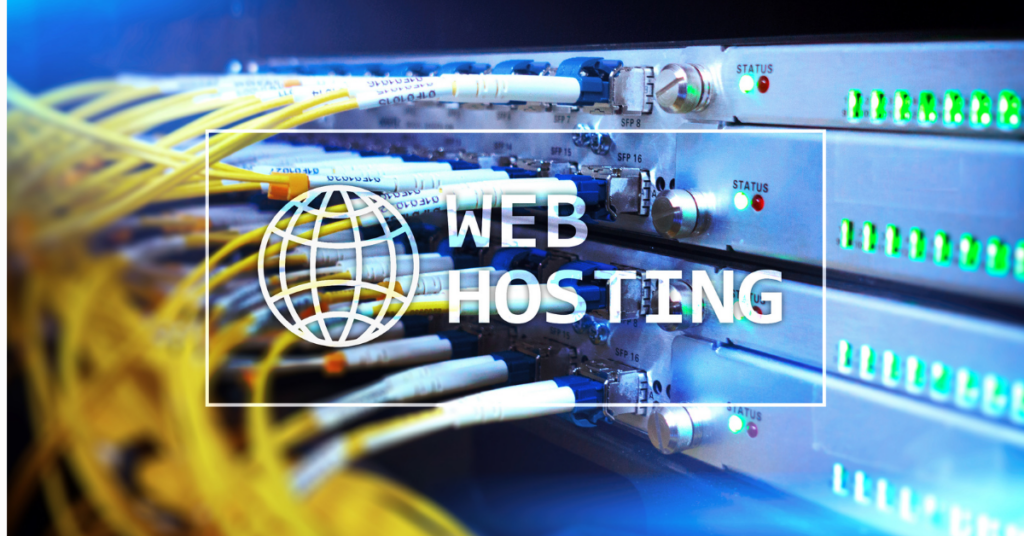
Web hosting is the simplest and most common option. It uses a single physical web server to store your website files. When someone visits your site, the server delivers your pages over the internet.
Most beginner-friendly hosting falls under shared hosting. You share your server’s CPU, RAM, and bandwidth with other users. This keeps prices low but limits performance.
A typical hosting provider, such as Truehost, offers a control panel (cPanel / Plesk), where you can manage your site, emails, and domains. You also get customer support for technical help.
However, since resources are split among many users, heavy traffic on another site can slow yours down. It’s like sharing Wi-Fi with your neighbors. When one streams movies, the internet lags.
A single shared server can host up to 250 websites, depending on hardware and software limits.
You can upgrade later to VPS hosting or a dedicated server, but that will incur additional costs and management overhead.
In short, shared hosting is best for small blogs, portfolios, or first-time websites where simplicity matters more than raw power.
How Cloud Hosting Works Behind the Scenes

Cloud hosting takes a modern, flexible approach. Instead of storing your site on a single machine, it uses a cluster of virtual machines (VMs) working together in a data center.
If one machine fails, another takes over instantly. This process, known as load balancing, keeps websites up and running even under heavy traffic.
Each cloud node shares resources dynamically. Your site can easily scale up or down depending on visitor numbers. Perfect for growing businesses or eCommerce stores.
Most cloud setups include:
- Instant scalability (cloud) to handle spikes
- High availability setup with redundancy
- Automatic backups and updates
- On-demand pricing: You pay only for what you use
Cloud servers typically deliver 99.99% uptime, compared to 99.9% for shared servers. That 0.09% difference equals nearly 8 hours less downtime per year.
This flexibility explains why startups, developers, and content-heavy sites often migrate to the cloud once traffic grows.
Key Differences Between Web Hosting and Cloud Hosting
When comparing web hosting vs cloud hosting, think of it as “one house” versus “a network of houses.” One is fixed and shared; the other expands as needed.
Here’s a clear breakdown of what sets them apart.
| Feature | Web Hosting | Cloud Hosting |
| Hosting plan type | Shared or single server | Distributed across multiple servers |
| Server resources | Fixed per plan | Flexible and scalable |
| Performance level | Moderate | High |
| Scalability option | Limited | Instant scalability (cloud) |
| Downtime risk | Higher (single point of failure) | Very low (redundant setup) |
| Pricing tier | $2–$10/month (shared) | $10–$30/month (cloud) |
| Support availability | Basic | Priority 24/7 |
| Storage capacity | 10–50GB storage (shared) | Variable |
| Renewal cost | Often increases | Pay-as-you-go model |
| Uptime guarantee | 99.9% uptime | 99.99% uptime |
Sites hosted on cloud infrastructure load 40% faster on average than those on shared hosting plans.
Cloud hosting automatically adjusts resource allocation, whereas shared servers require manual upgrades as traffic grows.
Web Hosting vs Shared Hosting: Pros and Cons
Every hosting option has strengths and trade-offs. Understanding them helps you make smarter decisions, especially if you’re starting small but plan to grow later.
✅ Web Hosting (Shared) Pros
- Cheapest starting option ($2–$10/month)
- Simple setup and quick launch
- Comes with free SSL, cPanel, and email hosting
- Great for beginners, blogs, and small sites
❌ Web Hosting Cons
- Slower during traffic spikes
- Limited server resources and customization
- Less control over security settings
- Renewal costs often rise after the first year
✅ Cloud Hosting Pros
- Fast website performance under any load
- Scalability with a few clicks — no downtime
- Built-in security features, automatic backups, and load balancing
- Ideal for growing businesses, online stores, and developers
❌ Cloud Hosting Cons
- Costs more ($10–$30/month)
- Slightly more technical to set up
- Some plans charge extra for overuse or data transfer
If your site is new and you’re still testing the waters, shared hosting is a good option. But if you expect traffic spikes or want faster performance, cloud hosting gives you long-term value.
Which Is Better for Small Businesses and Beginners?
This is where most people get stuck. You want something affordable but reliable enough to keep your site running.
If you’re launching your first website, start with shared hosting. It’s easy to manage via a control panel (cPanel/Plesk), costs less, and includes essentials like SSL certificates and 24/7 support.
Once your traffic grows, switching to cloud hosting is simple. You’ll gain instant scalability, high availability, and more control.
Many site owners follow this path:
- Start with web hosting for simplicity.
- Upgrade to cloud hosting as traffic grows.
- Use tools like load balancing and automatic backups for peace of mind.
It’s a smooth transition that lets you scale without having to rebuild from scratch.
Choosing What’s Right for You
So, web hosting vs cloud hosting: which is better? The answer depends on where you are in your website journey.
If you’re a beginner or running a small site, shared hosting gives you simplicity and affordability. It’s great for personal blogs, portfolios, or early-stage businesses.
If you’re handling growing traffic, eCommerce, or global visitors, cloud hosting offers unmatched flexibility and reliability. Its high-availability setup keeps you online even under pressure.
To recap:
- Web hosting = budget-friendly, simple, shared resources
- Cloud hosting = fast, scalable, resilient, and secure
Keep Your Hosting Simple and Reliable with Truehost
Choosing the right hosting shouldn’t feel like a gamble. Whether you want the budget comfort of shared hosting or the power of cloud hosting, Truehost helps you get both, without overpaying.
Keep your site fast and secure with Truehost.
From 99.9% uptime to free SSL certificates and 24/7 real-human support, every plan is built for reliability. Start small with shared hosting or scale instantly with cloud. The choice (and control) is yours.
Web Hosting vs Cloud Hosting FAQs
The big difference between web hosting vs cloud hosting is that web hosting stores your site on a single web server shared with others, while cloud hosting spreads your data across multiple connected servers. Cloud hosting gives better scalability, speed, and uptime, but costs more.
Yes. Cloud hosting typically loads websites up to 40% faster because of load balancing and instant scalability. It uses several virtual machines (VMs), whereas shared hosting relies on a single server handling many users.
Web hosting is better for beginners. It’s cheaper ($2–$10/month) and includes an easy-to-use control panel (cPanel/Plesk) for management. Once your traffic grows, upgrading to cloud hosting is simple.
Absolutely. You can migrate your files and databases at any time through your hosting provider or support team. Many site owners start small with shared hosting and move to cloud hosting once they need more power.
Yes, especially if uptime and flexibility matter. While cloud hosting costs more ($10–$30/month), it offers 99.99% uptime, automatic backups, and smoother resource allocation, making it ideal for growing websites or online stores.