 Domain RegistrationFind and register the perfect domain for your website.
 .COM DomainChoose a widely recognized domain to build global credibility.
 Domain TransferSeamless domain transfers with zero downtime and complete control.
 All TLDsFind and register your perfect domain. Choose from local and global extensions.
 SSL CertificatesKeep your website safe with reliable SSL Certificates that protect customer data and build trust.
 whoisCheck domain ownership details, expiration dates, and registrar information.
 US DomainRegister a .US domain and build trust in the USA.
 Web HostingEverything your website needs to run smoothly
 WordPress HostingWordPress hosting that just works
 Windows HostingReliable hosting for Windows environments
 Reseller HostingTurn hosting into your business
 Email HostingEmail that looks professional and works anywhere
 cPanel HostingFull control of your hosting with cPanel
 Affiliate ProgramJoin as a partner and earn commissions on every referral you send our way.
 Vps HostingScalable virtual servers that expand as you need.
 Dedicated ServersGet complete access and full control over your dedicated physical server.
 Managed vpsNot tech-savvy? We will take care of everything with our fully managed VPS hosting for you.
 AI Website BuilderCreate stunning websites in seconds with AI.
 Online ShopSet up a professional online store. No coding required.
 Web design serviceGet a tailored website designed to match your brand and support your goals.
 BlogFind helpful guides on web hosting, online selling, digital marketing, and more.
 Contact USYou can reach us anytime, day or night, through chat or email.
 SupportBrowse helpful guides and answers for all of our services.
What would happen to your business if your website got hacked tomorrow?
I will tell you what will happen.
- Your data is gone.
- Your users are exposed.
- Your site is offline.
- And your reputation, the thing that took months or years to build, is damaged in a single afternoon.
This is not a rare situation. Cybercrime is growing rapidly, and websites of all sizes are targets. According to a study, a cyberattack happens somewhere in the world every 39 seconds. Small and medium websites are hit just as hard as large ones, sometimes harder, because they tend to have weaker defenses.
The good news is that the right hosting provider handles most of this for you.
The website hosting security features your host includes are your first and strongest line of defense.
Pick a host with weak security, and you are exposed from day one. Pick one with strong security built in, and you have multiple layers of protection working around the clock.
This checklist covers every website hosting security feature you need to look for. We will cover what each one does, why you must have it, and how it protects you.
Here is what is covered:
- SSL certificate protection
- Firewall protection
- DDoS attack protection
- Regular backups
- Malware scanning and removal
- Secure server access
- Automatic updates
- Strong authentication controls
- Data encryption
- Server monitoring
- Account isolation
- Secure data centers
- Uptime and reliability
Let us get straight into it.
1) SSL Certificate Protection
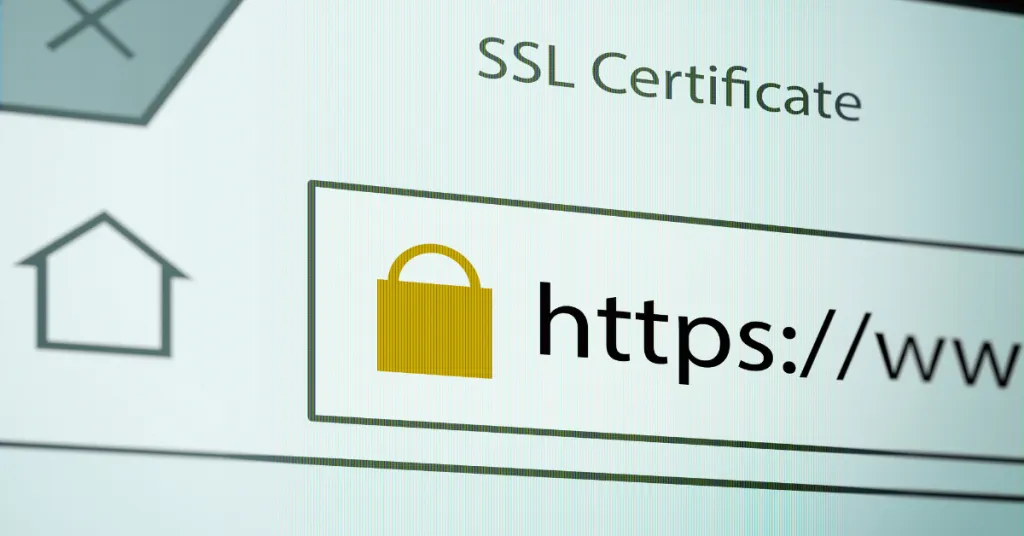
Start here. An SSL certificate is one of the most basic website hosting security features and also one of the most visible.
Here is what an SSL certificate does:
The SSL certificate encrypts the data traveling between your visitor’s browser and your server. When someone types their email address, password, or credit card number into your site, SSL scrambles that information so no one can intercept and read it along the way.
Here is where you find sites with an HTTP and another with HTTPS. What’s the difference?
- HTTP sends data in plain text, and anyone watching the connection can read it.
- HTTPS uses SSL to encrypt it.
Modern browsers flag HTTP sites with a “Not Secure” warning right in the address bar. That warning kills user trust instantly.
SSL protects login details and payment information, builds trust with your visitors, and supports your SEO rankings.
Google confirmed HTTPS as a ranking signal back in 2014 and has reinforced it since. Your hosting provider should include an SSL certificate as standard, not as an expensive add-on.
2) Firewall Protection
Think of a firewall as a security guard standing at the entrance to your website. Every request that comes in, from real visitors, bots, and attackers, passes through the firewall first.
A Web Application Firewall (WAF) filters that traffic and blocks anything that looks malicious. It checks requests against a list of known attack patterns and stops the dangerous ones before they ever reach your site.
This is critical protection against two of the most common attacks on websites:
a) SQL injection, where attackers try to manipulate your database through form fields.
b) XSS (Cross-Site Scripting), where malicious code gets injected into your pages to target your visitors.
A WAF catches these attempts at the door. No firewall means those attacks go straight through to your site with nothing stopping them.
3) DDoS Attack Protection
A DDoS attack (Distributed Denial of Service) is when attackers flood your server with thousands or millions of fake requests all at once. The goal is simple: overwhelm your server until it crashes and your site goes offline.
These attacks are more common than you realize as a website owner. According to Cloudflare, DDoS attacks increased by 55% in 2023 compared to the previous year. Any website can be a target, not just big ones.
Good hosting detects this pattern of fake traffic and blocks it automatically before it brings your server down.
Without DDoS protection, even a short attack can take your site offline for hours. With it, the attack gets absorbed, and your site stays live. When evaluating website hosting security features, DDoS protection is non-negotiable.
4) Regular Backups
Backups are your safety net. If your site gets hacked, infected with malware, or corrupted by a server error, a recent backup means you can restore everything and get back online quickly. Without one, you could lose everything, and permanently.
Good hosting provides automatic backups on a daily or weekly schedule, stored separately from your main server so that if the server itself is compromised, your backup is still safe.
When checking website hosting security features, look for hosts that offer automated daily backups with easy one-click restore.
5) Malware Scanning and Removal
Malware is malicious software, a code designed to damage your site, steal data, redirect visitors, or use your server for attacks on other websites.
Your websites can get infected through;
- Outdated plugins
- Weak passwords
- Unsecured file uploads
- Compromised third-party tools.
The problem is that malware is often invisible.
Your site can look completely normal while harmful code runs quietly in the background. That is why your hosting provider needs to scan your files automatically and regularly, not just when something obviously goes wrong.
Strong web hosting security includes malware detection that runs on a schedule, flags suspicious code, and removes it before it causes damage.
6) Secure Server Access
Every time you upload files to your website, you are connecting to your server. How that connection is made determines how secure your files are during transfer.
a) FTP, the old standard, sends your login credentials and files in plain text. Anyone monitoring that connection can see everything.
b) SSH and SFTP encrypt the connection, so your credentials and files are protected during transfer.
Always check that your hosting supports SFTP and SSH access and avoid any host that only offers plain FTP.
7) Automatic Updates
Outdated software is one of the leading causes of website security breaches. When developers discover a vulnerability in WordPress, a plugin, or server software, they release an update that patches it. The window between that release and when you apply the update is the window attackers exploit.
Automatic updates close that window. Your server software, CMS core, and, where possible, your plugins stay current without you having to remember to do it manually.
An up-to-date site is a much harder target than an outdated one.
If your host does not handle this, the responsibility falls entirely on you. And we know as site owners, you do not check for updates as often as you should.
8) Strong Authentication Controls

A strong password is a start. But it is not enough on its own, especially if you have multiple team members accessing your hosting account or CMS dashboard.
Two-factor authentication (2FA) adds a second step to the login process. Even if someone gets hold of your password, they still cannot log in without the second factor. The second factor is usually a code sent to your phone or generated by an app.
It is one of the simplest and most effective website hosting security features available.
Look for hosting that supports 2FA on your account dashboard, and make sure your WordPress or CMS login uses it too.
9) Data Encryption
SSL encrypts data as it moves between your user and your server. But what about data that is just sitting there, stored on your server at rest?
Encryption at rest protects the stored data. If someone gains physical or unauthorized access to your server’s storage, encrypted data is unreadable without the decryption key. This counts especially for sites that store user information, payment records, or any sensitive business data.
Together, encryption in transit and encryption at rest cover both states your data exists in.
10) Server Monitoring
You cannot respond to a threat you do not know about. That is why real-time server monitoring is one of the most valuable website hosting security features your host can provide.
Monitoring systems watch your server continuously:
- Tracking traffic patterns
- Login attempts
- File changes
- Resource usage
When something unusual happens, such as a sudden spike in traffic, repeated failed login attempts, or unexpected file modifications, the system triggers an alert.
That early warning gives you (or your host’s security team) the chance to investigate and respond before a small issue becomes a full attack. Without monitoring, threats can develop undetected for days or weeks.
11) Account Isolation
On shared hosting, where many websites share one server, a security weakness in one site can potentially be used to access others on the same server. This is one of the less talked-about risks of shared environments.
Account isolation prevents this.
It means each hosting account is kept in its own contained space, separated from every other account on the server. If one site gets infected, the isolation stops the infection from spreading.
This is a technical website hosting security feature that you will not see unless you look for it. It makes a significant difference in how safe your site is on a shared server.
12) Secure Data Centers
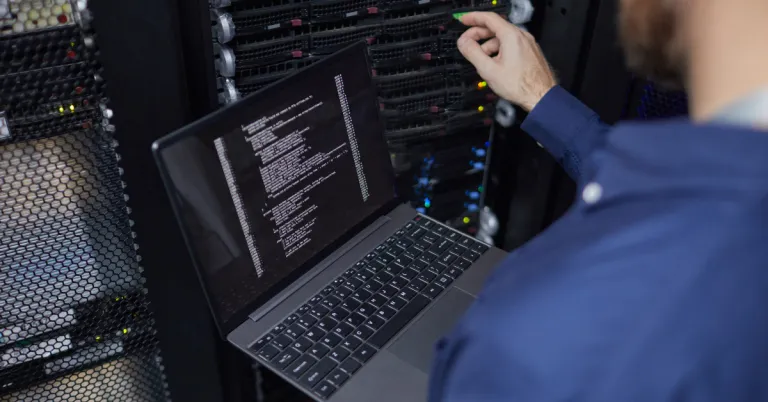
Physical security sounds old-fashioned in a digital world. But the servers your website lives on are physical machines, sitting in a physical building. If something happens to that building, a break-in, a power failure, a fire, your site goes down with it.
Secure data centers have physical access controls, 24/7 surveillance, redundant power systems, and environmental protection against fire and flooding. These protections keep the machines running and your site online even when something unexpected happens in the physical world.
13) Uptime and Reliability
Security and uptime are more connected in keeping your site secure. A hosting environment that crashes under load or goes down frequently is not just inconvenient; it is a security vulnerability.
According to ITIC, 98% of organizations say that a single hour of downtime costs over $100,000. During downtime, your site is unreachable, your automated security processes may be interrupted, and recovery windows create opportunities for attackers to probe your system.
Reliable uptime is the final piece of a complete website hosting security setup.
Why Truehost Is a Secure Hosting Choice

Truehost includes the core website hosting security features that every site needs.
- SSL certificates
- Automatic backups
- Firewall protection
- Malware scanning
- Continuous server monitoring
- 99.9% uptime
Multiple layers of protection work together to keep your site safe, stable, and online.
In Summary
Website hosting security features are not extras. They are the foundation your site stands on.
No single feature protects you completely. Security works in layers, and each layer catches what the others might miss.
- Your firewall blocks malicious traffic before it reaches the site.
- SSL protects data as it moves between your users and your server.
- Backups restore everything if an attack gets through.
- Malware scanning catches infections early.
- Monitoring detects unusual activity in real time.
- Encryption keeps stored data safe even in a breach.
Together, these website hosting security features form a complete defense. Remove any one of them, and you have a gap. A strong hosting provider builds all of these layers into your plan so you are protected from every angle without having to piece it together yourself.
The host you choose determines how protected you are from day one. Do not wait until something goes wrong to think about security.
For reliable protection and secure performance across every layer, choose Truehost. Head to Truehost and put your site on hosting built to keep it safe.