 Domain RegistrationFind and register the perfect domain for your website.
 .COM DomainChoose a widely recognized domain to build global credibility.
 Domain TransferSeamless domain transfers with zero downtime and complete control.
 All TLDsFind and register your perfect domain. Choose from local and global extensions.
 SSL CertificatesKeep your website safe with reliable SSL Certificates that protect customer data and build trust.
 whoisCheck domain ownership details, expiration dates, and registrar information.
 US DomainRegister a .US domain and build trust in the USA.
 Web HostingEverything your website needs to run smoothly
 WordPress HostingWordPress hosting that just works
 Windows HostingReliable hosting for Windows environments
 Reseller HostingTurn hosting into your business
 Email HostingEmail that looks professional and works anywhere
 cPanel HostingFull control of your hosting with cPanel
 Affiliate ProgramJoin as a partner and earn commissions on every referral you send our way.
 Vps HostingScalable virtual servers that expand as you need.
 Dedicated ServersGet complete access and full control over your dedicated physical server.
 Managed vpsNot tech-savvy? We will take care of everything with our fully managed VPS hosting for you.
 AI Website BuilderCreate stunning websites in seconds with AI.
 Online ShopSet up a professional online store. No coding required.
 Web design serviceGet a tailored website designed to match your brand and support your goals.
 BlogFind helpful guides on web hosting, online selling, digital marketing, and more.
 Contact USYou can reach us anytime, day or night, through chat or email.
 SupportBrowse helpful guides and answers for all of our services.
You just finished your first coding project, and you’re ready to show it to the world. Then you open a hosting website, and your brain freezes. VPS, cloud instances, root access, and server configurations appear on the screen.
You don’t know which option to pick.
You’re terrified of wasting money on something too complicated or too weak. And honestly, you just want to upload your code without needing a PhD in server management.
This confusion holds you back. As a talented beginner, you miss out on launching projects that could help you get your first job or client. The fear of choosing “wrong” stops progress completely.
Let’s put that to an end or make it never happen.
Today, as we learn web hosting options developers need when starting out, we will also cover;
- What new developers need from hosting
- Shared hosting
- VPS hosting
- Managed versus unmanaged options
- Cloud hosting (and when to avoid it)
- Choosing without overthinking
- Growing as your skills improve
Let’s make this simple together.
What Beginner Developers Need From Hosting
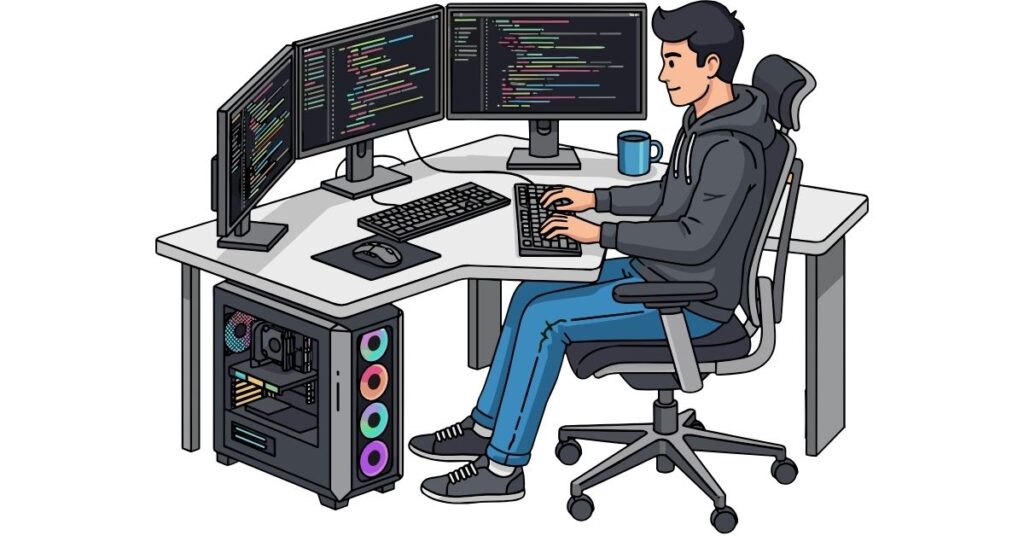
Forget the marketing hype. When you’re learning to code, your developer hosting needs to handle a few basic things well.
You need somewhere to upload your code easily.
FTP access or Git integration that doesn’t require reading a manual. Your HTML files, CSS stylesheets, JavaScript, or backend code should move from your computer to the internet without drama.
You need room to experiment and break things.
Beginners mess up. That’s how learning works. Good hosting offers easy backups. If you accidentally delete something important, you can restore it in minutes. This saves you from starting over.
Control panels should make sense without a tutorial.
Creating databases, setting up email, or checking your storage should be simple, not a puzzle. Simple dashboards save hours of frustration.
Help when you’re stuck changes everything.
Live chat or ticket support that replies in minutes helps you spend less time fixing “500 Internal Server Error” messages. That means more time for coding.
Easy upgrades prevent starting over.
Your portfolio site runs fine now, but what happens when you build something bigger? Moving to stronger hosting should be a simple click, not manually migrating everything.
According to Stack Overflow’s 2024 Developer Survey, 42% of developers learning to code cite deployment and hosting as one of their biggest challenges. The right developer hosting removes this barrier completely.
But what type of developer hosting are we talking about? There are a few options, so it’ll come down to your needs.
Let’s check the options you have.
Shared Hosting
Shared hosting puts your website on a server with dozens or hundreds of other sites. Everyone shares the same computer resources—CPU, RAM, and storage. Think of it like living in a dorm where you share the kitchen and bathroom with neighbors.
The biggest advantage is price. Shared hosting costs $3 to $10 monthly, perfect when you’re learning and not earning money from your projects…yet. Setup takes minutes.
Most shared hosting providers install WordPress, create databases, and handle basic configurations with one-click tools.
For small projects, shared hosting works perfectly fine.
- Is your portfolio site showing your GitHub projects? Great.
- A simple blog documenting what you’re learning? Perfect.
- A basic CRUD application with a small database? No problem.
Research shows that 75% of all websites get fewer than 10,000 monthly visits. Shared hosting handles this traffic easily without breaking a sweat.
But…
Shared hosting breaks fast when your projects grow. You share CPU power with neighbors. If another site on your server gets hammered with traffic, your site slows down, too. You can’t control this.
Resource limits hit quickly.
Most shared plans limit processing power, memory use, and the number of database connections you can have at the same time. Complex applications with heavy queries struggle on shared hosting.
Developer hosting restrictions frustrate coders fast.
- Want to use a specific PHP version? Denied.
- Need to install a custom library? Can’t do it.
- Want to run Node.js or Python? Not happening on most shared plans.
When shared hosting works:
- Testing how deployment works
- Hosting simple static sites
- Running low-traffic personal projects
- Learning the basics of putting code online.
When to move on from shared hosting;
- Building real applications
- Needing specific software versions
- Expecting more than a few hundred daily visitors
- Working on client projects that demand reliability.
VPS Hosting
Here is your sweet spot as a developer.

Virtual Private Server hosting sounds technical, but it’s just a virtual computer living in the cloud that belongs only to you. The physical server still hosts multiple VPS instances, but each one runs independently with dedicated resources nobody else touches.
Imagine owning an apartment instead of renting a dorm room. You share the building with others, but your space is yours. Their noise doesn’t affect you.
Developer hosting on VPS gives you root access, that is, complete control over everything. Install any programming language, any framework, any database system.
- Want to run Node.js with MongoDB? Go ahead.
- Need Python with PostgreSQL? Install it yourself.
- Prefer Ruby on Rails or Go? Your choice.
This freedom teaches you valuable DevOps skills employers want. LinkedIn’s 2025 Jobs Report says jobs needing development and deployment skills pay 23% more. This is compared to roles that focus only on coding. VPS hosting builds this knowledge naturally.
VPS feels scary at first because you’re responsible for the server. Security updates, software installations, and configuration files. These tasks fall on you with unmanaged plans.
But here’s the secret: it’s easier than it looks.
Modern control panels offer one-click installs for common setups. Need a LAMP stack (Linux, Apache, MySQL, PHP)? Two clicks and five minutes. Want Docker containers? Simple terminal commands you can copy and paste from tutorials.
Developer hosting on a VPS typically costs $10 to $50 per month, depending on the resources required. Entry plans include 1-2 GB RAM, 1-2 CPU cores, and 20-50 GB SSD storage. Mid-tier plans offer 4-8 GB of RAM and can handle demanding applications.
Performance jumps significantly compared to shared hosting. Your code runs faster because resources aren’t shared. Page loads speed up. Database queries complete more quickly.
VPS hosting is 3-5 times faster than shared hosting for the same websites, studies show.
VPS makes sense when;
- You’re building actual applications beyond simple sites
- Learning how servers work, running multiple projects on one machine
- Needing specific software that shared hosting blocks don’t provide.
Managed Versus Unmanaged
This choice shapes your learning path more than anything else.
Managed hosting means the provider handles server maintenance, security patches, software updates, and technical problems. You focus purely on writing code and building projects.
Unmanaged hosting gives you the server and takes a step back. You install the operating system, configure security, update software, and troubleshoot issues. Complete freedom meets complete responsibility.
Who should pick managed hosting?
Beginners focused on learning web development, not server administration. If you want to master React, Vue, or Django without diving into Linux commands, managed developer hosting lets you concentrate on code.
Managed plans cost more, usually $20 to $100 monthly, but include expert support.
- Server acting weird at midnight? Their team investigates and fixes it.
- Database crashing? They restore it from backups.
Who should try unmanaged hosting? Developers wanting to learn the full stack, including DevOps and system administration.
Unmanaged VPS teaches you fast if it excites you to be a well-rounded developer. You will learn deployment pipelines, server security, and infrastructure.
Unmanaged options cost less, sometimes $5 to $20 monthly, because you’re doing the work. You’ll spend hours reading documentation, troubleshooting errors, and Googling cryptic messages. But you’ll learn more about how the internet works than any bootcamp teaches.
Time investment differs massively. Managed hosting requires maybe 30 minutes monthly to check things. Unmanaged hosting demands 5-10 hours monthly, especially while learning. Survey data from DevOps communities shows that beginners spend an average of 8 hours monthly on server maintenance tasks initially.
Smart middle path:
Start with managed shared hosting for your first project. Learn FTP, databases, and basic deployment. Then switch to an unmanaged VPS for your second or third project when you’re ready to level up your skills.
Cloud Hosting
Cloud hosting spreads your application across multiple connected servers instead of one machine. If a server fails, another takes over instantly. Big tech companies love this reliability.
But as a beginner, you don’t need cloud hosting yet.
Cloud excels at scaling.
- Traffic doubles overnight? The system automatically adds more resources.
- Application going viral? Cloud handles it smoothly.
This flexibility costs money and adds complexity. Cloud pricing is typically “pay for what you use” rather than flat monthly fees. Sounds great until you’re a student trying to budget, and an unexpected traffic spike creates a surprise $80 bill.
Configuration is more complex than shared or VPS hosting. You’re managing load balancers, auto-scaling groups, container orchestration, and distributed systems. These concepts matter for professional developers, but they add confusion when you’re just trying to deploy your first app.
When cloud hosting suddenly makes sense:
- Your application goes viral and needs to handle massive traffic swings
- You’re building something requiring 99.99% uptime
- You’re working at a company with enterprise infrastructure needs.
For your first several projects? Skip it. Master shared or VPS hosting first. Cloud skills build on that foundation.
Hosting For Different Developer Projects
What you’re building determines what developer hosting you need.
- Learning HTML, CSS, and JavaScript?
Shared hosting works perfectly. Your static sites with forms and basic interactivity run smoothly. Cost stays under $5 monthly while you’re learning fundamentals.
- Building with frameworks like Laravel, Django, or Express?
VPS hosting fits better. These frameworks need specific PHP, Python, or Node.js versions. They benefit from dedicated resources. Shared hosting feels limiting fast.
- Creating APIs or microservices?
VPS or cloud makes sense. APIs handle requests from multiple sources simultaneously. Dedicated resources prevent slowdowns when traffic increases.
- Full-stack applications with databases, authentication, and real-time features?
Start with VPS. You can upgrade to the cloud later if growth demands it.
The general rule:
match hosting power to project complexity. Simple projects need simple hosting. Complex projects justify better infrastructure.
How To Choose Developer Hosting Without Overthinking
Picking a developer hosting doesn’t require perfect information. Use this framework:
Look at your project first.
- Portfolio site? Shared hosting.
- Web application? VPS.
- High-traffic platform? Powerful VPS or cloud.
Consider current traffic realistically.
- Under 1,000 daily visitors? Shared hosting handles it.
- Between 1,000-10,000? VPS performs better.
- Above 10,000? You need a VPS minimum.
Check your skill level honestly.
- Total beginner? Managed shared hosting.
- Comfortable with command line basics? Unmanaged VPS.
- Experienced developer? Choose based purely on project needs.
Think about your budget.
- Can you spend $3-$5 monthly? Shared hosting only.
- Budget of $15-$30? VPS opens up.
- Spending $50+? All options available.
Consider available time.
- Super busy with school or work? Managed hosting saves hours.
- Have time to learn server skills? Unmanaged hosting teaches valuable knowledge.
Growing Without Rebuilding Everything
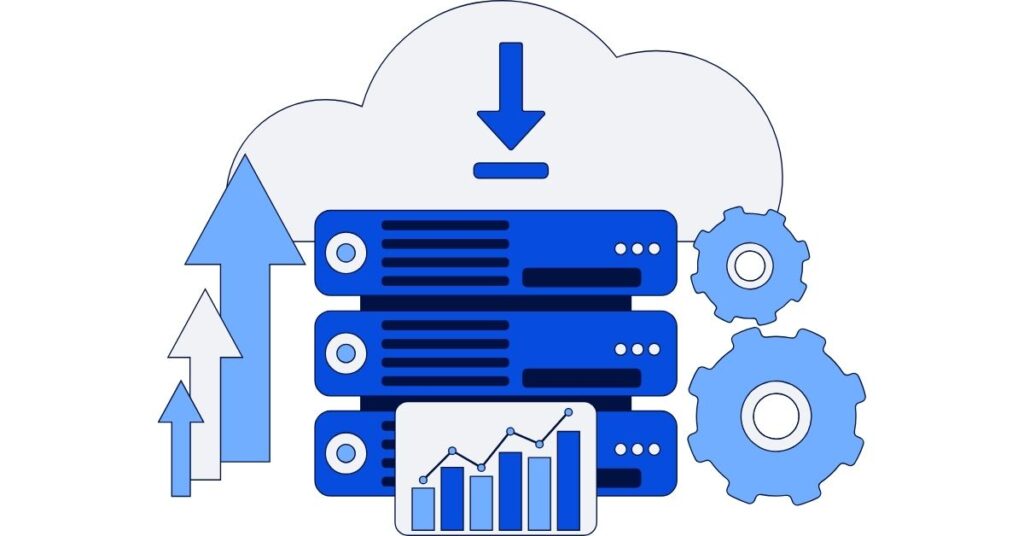
Here’s something nobody will tell you as a beginner: outgrowing your first hosting is a success sign, not a failure.
Starting with basic shared hosting and upgrading later beats buying powerful servers you don’t need yet. You save money while discovering what your projects require.
Most hosting companies make upgrades simple. Click “upgrade plan,” select new resources, and your site migrates automatically. Downtime runs under 30 minutes, often just 5-10 minutes.
Good developer host providers plan growth paths. They offer shared hosting for beginners, VPS for growing developers, and cloud options for advanced needs. Staying with one company as you scale simplifies everything.
Your files, databases, email accounts, and settings transfer together. You don’t rebuild from scratch or manually migrate data. The hosting company handles technical details behind the scenes.
This flexibility removes the fear of choosing wrong initially. Your first hosting isn’t permanent. Adjust as you learn what you need.
Why Truehost Works For Beginner Developers
Truehost builds developer hosting for people learning to code, not just experts.
- Control panels stay simple and clear.
Creating databases, managing files, or checking resource usage doesn’t require hunting through confusing menus. Everything sits where you’d expect it.
- Support answers questions in plain English.
Ask “how do I deploy my Node.js app?” and get clear steps, not technical jargon that makes you feel stupid for asking.
- Upgrade paths make sense.
Start with shared hosting while learning the basics. Move to managed VPS when building real applications. Switch to an unmanaged VPS when ready to learn DevOps. Each step is smooth.
- Pricing stays transparent.
No hidden fees that surprise you months later. No sudden price jumps after promotional periods end.
Conclusion
Developer hosting doesn’t need to confuse you. Match your current skills and project needs to the right hosting type.
As a beginner, you can thrive on managed shared hosting without handling technical details.
As a growing developer, you can enjoy a VPS offering control and learning opportunities. Advanced projects eventually need cloud infrastructure, but not yet.
Hosting evolves with your skills. Starting simple and upgrading beats starting complex and getting overwhelmed. The best hosting is whatever gets your code online and keeps you learning. Support quality, reliability, and room to grow beats raw specifications early in your journey.
No hosting choice is permanent. You can always adjust.
Ready to launch your first project? Truehost provides easy developer hosting plans for beginners. It has managed shared plans and allows simple VPS upgrades as you improve your skills. Support is available 24/7 to help you every step of the way.